 Soblox


Opening the campus…
Launch coins.
In Roblox.
Create a Solana coin inside Roblox. Buy, sell, and meet the people behind it—all in the same world.
Watch the 60-second guideYour first launch / 60 seconds
See it.
Then build it.
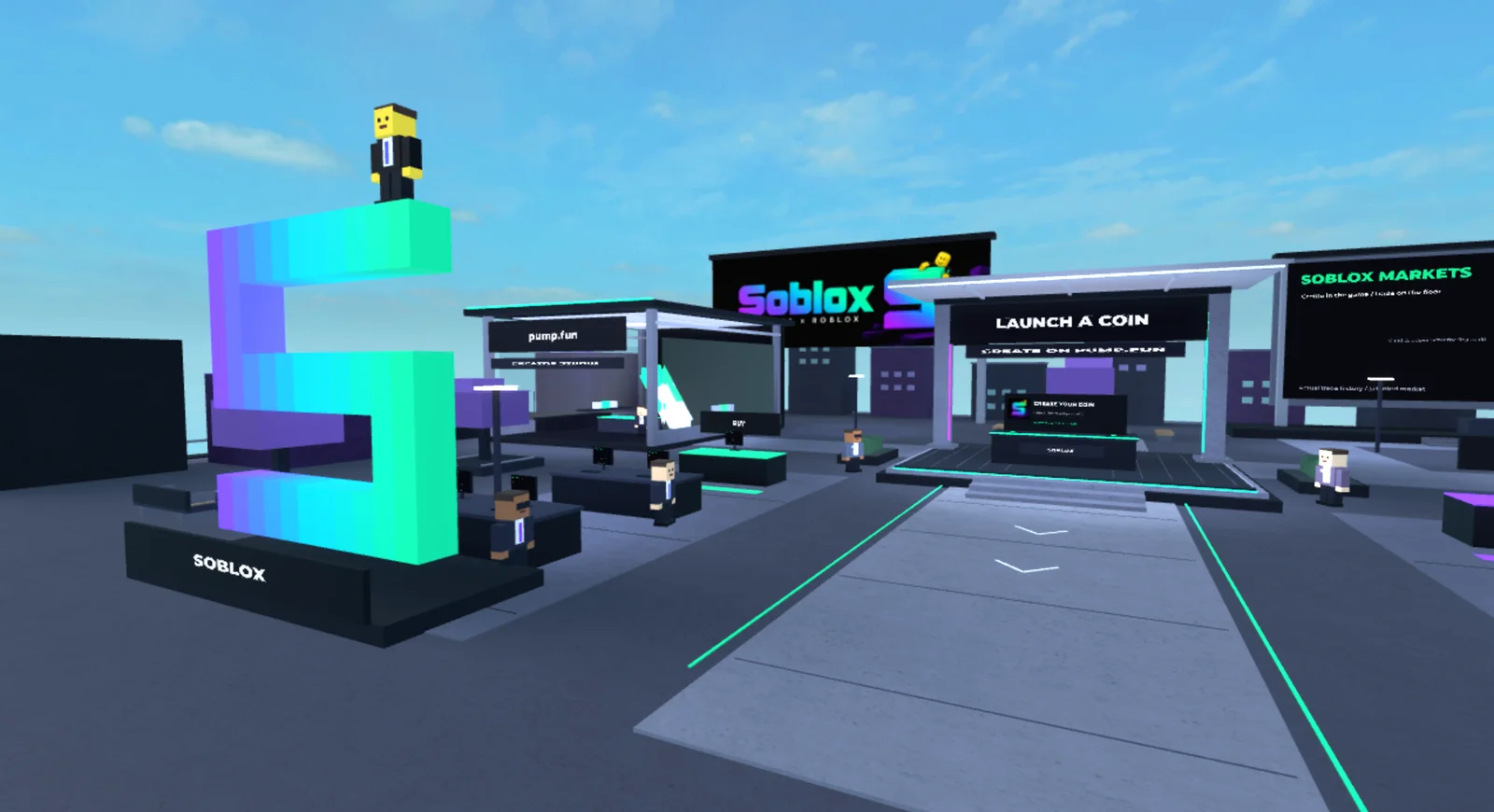
Watch the real flow: walk to the pavilion, connect your wallet, fill in your coin and review the launch request.
Recorded gameplay and real wallet pairing. The demo stops before launch approval. Logo import is currently unavailable; SOLBLOX-only pairing is not live yet.
Read the walkthrough
- Open Wallet in Roblox and get your pairing code.
- Connect Phantom or Solflare in the companion. Enter the code, verify your Roblox player, and approve the linking message.
- Return to Roblox and choose Launch a coin. Add a name and ticker; the description and logo are optional. This recording omits the logo because image import is currently unavailable.
- Leave developer buy at zero to launch without an initial purchase. Network fees still apply.
- Review the launch request and fees in the companion before approving. After confirmation, find the coin in Markets.
Inside Soblox
Launch. Trade. Talk.
All inside Roblox.
Create a Solana coin, trade from the game, and build a community around it. Here’s where everything happens—and how to get started.
At the launch pavilion
Launch a Solana coin.
Created inside Roblox.
Walk up to the launch terminal. Give your coin a name, ticker and logo. Launch through pump.fun, with the request approved through your linked wallet.
Coin creation starts in the game. The companion handles wallet pairing and approvals.
Launches use SOL. Keep SOL for network fees and account rent too.
- 1
Create in Roblox
Use the central launch terminal. Add your coin details and logo.
- 2
Review in your wallet
Your companion shows the request. Review the amount and fees before approving.
- 3
Meet at the trading floor
Once the launch confirms, find the coin’s market in the game.
On the trading floor
Buy and sell.
As your Roblox avatar.
Pick a coin at the trading desks. Enter your amount, check the quote, and send the trade to your wallet. Buys spend SOL. Sells return SOL.
Use manual approvals, or choose an optional trading session in the companion.
Prices can move between a quote and execution. Review the amount and limits.
Buy or sell
Track the result
Confirmed trade history is available in the companion. Keep the browser tab open when using a funded trading session.
Your wallet companion
One Roblox code.
Your Solana wallet.
Open Wallet in the game to get a pairing code. Connect Phantom or Solflare here, paste the code, and check the Roblox account before linking.
Linking signs a message. It does not grant permission to spend your funds.
Never enter a seed phrase. The companion is where you manage pairing, sessions, backups and withdrawals.
Keep using Phantom or Solflare
Funds stay in your existing wallet. Review each request there. Phantom’s automatic approval option depends on wallet and site support.
Manual approvals are the defaultFund a browser trading wallet
Create or restore its encrypted backup, deposit SOL, then explicitly start a limited trading session. Keep this tab open while playing.
Optional · separate deposit requiredBack up before funding. Losing the backup and password can mean losing access. A compromised browser or site can put funds at risk.
Tweet station Coming soon
Post to X.
From inside Roblox.
Connect your own X account through the wallet companion. Then write and send your post from the game’s Wallet panel using Post on X.
Share what you’re building without breaking out of the world to write it.
X posting is not enabled yet. Daily posting limits apply once available.
- 1
Link your wallet
Pair with your Roblox account in the companion.
- 2
Connect X
Choose the X account you want to post from when the feature is enabled.
- 3
Write in Roblox
Open Wallet, choose Post on X, review your words, then post.
Beyond the game
Find the coin.
Follow the market.
Use a coin’s Solana token address to look it up on Dexscreener. Check its market activity outside Roblox, then return to the floor.
Soblox also has its own execution charts in the wallet companion.
Dexscreener is an external service. A market must be indexed there to appear; a new launch may not be available immediately.
Opens Dexscreener in a new tab. No wallet connection or transaction is needed.
How Dexscreener lists tokensThe community
Talk to the people
behind the coins.
Meet other players in Roblox. Discuss a launch, ask questions, and hang out between trades.
For voice chat, use Roblox’s own voice controls in supported experiences. Availability depends on your account, region and the experience’s settings.
Voice chat in Soblox has not been verified yet. This website does not request microphone access.
Use Roblox’s voice controls
When available, join voice through the headphone icon or in-game settings. You control whether your microphone is on.
Check Roblox’s eligibility and age-check requirements if voice controls are missing.
Your coin. Your community.
Inside Roblox.
Get your wallet ready, then meet us at the launch pavilion.